Okay so I've used package.json quite a bit (yea, npm), but that's because in nodejs world, that's the only way you could do anything.
With java, I got away with not using the build tool, because i never needed to use it to build anything. However, since we are working in a team now (SOFTENG 304), and it will be necessary that dependencies installations need to be done uniformly across the team, I decided to learn how Maven works and how to install it.
How exactly does program get installed, anyways?
It's difficult to install maven if you are following their standard procedure. Difficult in the sense that you have to know how programs are generally executed.

The Maven website itself doesn't have our favourite 'installer'. It's just a pure binary.
Binary is an executable file. This means we can run it by the following bash command:
./<executable file>
That's what we eventually (sort of) want to do. I say 'sort of' because we would not want './' to be there. Instead it will be something like the following that we wish to execute.
mvn -version
But let's stay simple. Download the binary zip file above, and unzip it to get:

Then just cd into 'bin' folder

and execute it with -version:

Can we do it better? (Feat. PATH)
We usually execute programs (or files, or executables, they are the same things really) in the command line, we usually don't have './'.
'java', 'cd', 'pwd' etc would be examples of running programs on command line. How does that really work? Remember above that we needed to change directory into the folder that contains the executable, then do ./<executable>. But that gets tiring. So instead, we have 'PATH' variable that literally lists directories that the command line should look for the executable. PATH is an environment variable (a string variable that you can use in the command line, like `echo $PATH`).

Whenver we start commands without the prefix './', the command line knows that we are asking it to go look at all the directories in the PATH, and see if the first word entered is in the PATH. For example, if we type 'cd .', it looks for the executable file called 'cd' (first word of the entered command) in all of those directories (/usr/local/bin, /usr/bin, /bin etc, sequentially), then execute that file with the '.' parameter (second word of the entered command).
What this means is that we need to do two things to run maven like `mvn -version`:
- Put binary file 'mvn' into some directory
- Append that directory to the PATH
Let's do it!

This is the README of the zip. Well it's quite straightforward to follow this now that you understand how executing a program works.
I'll tell you how I did it:

This opens up the folder in GUI. I literally drag-drop moved apache-maven-3.8.1 folder into that folder.
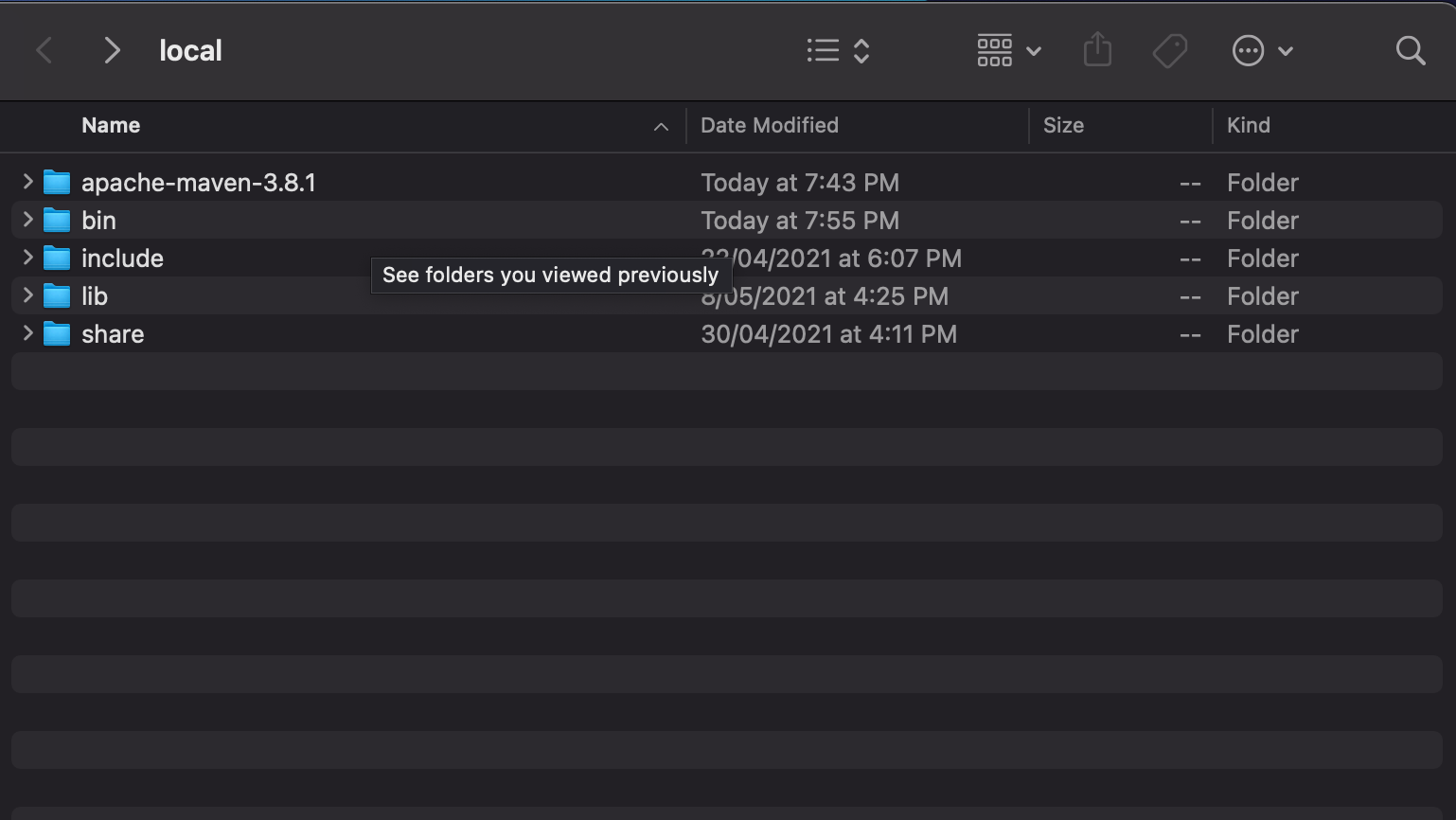
Then you append a path to the bin folder of maven folder:

That's it!

Now I see it and I'm thinking whether there was a need to document things like this, but it was a good opportunity for me to revise my understanding of how executables are run, and install things in a 'programmer' way. I remember being so confused about these path stuff, and now I understand it.
'2021 > July 2021' 카테고리의 다른 글
| Introduction to Java Servlets (0) | 2021.07.31 |
|---|---|
| How SOAP works in Java! (feat JAX-WS (0) | 2021.07.31 |
| How to prevent GoogleDrive from taking so much of your local storage (0) | 2021.07.26 |
| SOFTENG 306: Learning A* Algorithm (0) | 2021.07.22 |
| 성경 7초검색 제작 후기 <bible-next-js.herokuapp.com> (0) | 2021.07.16 |


